
You can add or modify the data of your vehicles from the web www.mowiztruck.com and from the mowiz TRUCK mobile application.
- From the mowiz TRUCK application:
Go to "Vehicles".
If you do not have any vehicle configured you must check on "Add vehicles":
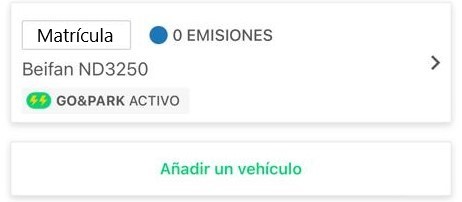
If you already have a vehicle configured by clicking on the arrow ">" you can edit the make and model of the vehicle by clicking on the respective text box, activate or deactivate the license plate for automatic opening in all our parking lots with camera opening or delete the vehicle.

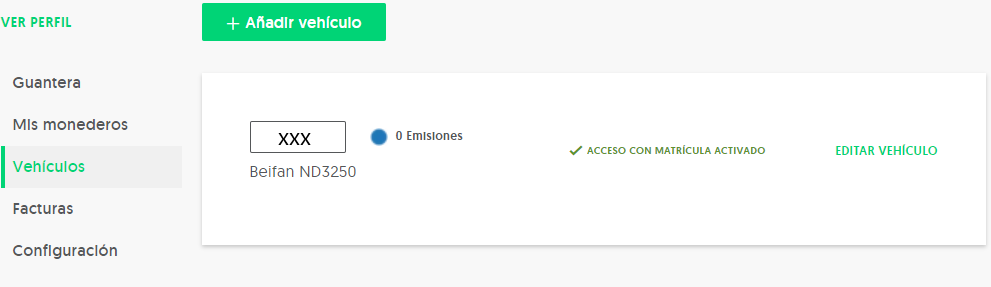
- From our website mowiztruck.com:
By entering your login data (email and password), clicking your name at the top right of the screen you can access the section "My data" à "Vehicles" and there you can add, modify or delete the license plates of your vehicles.
If you still have any questions, please contact us at soporte@mowiztruck.com and we will be happy to help you.
Comments
0 comments
Please sign in to leave a comment.